For iPhone & iPad
Track your wine, beer, and spirits collection with a visual cellar map, powerful search, and complete privacy. No subscriptions, no accounts, no servers.
Why I Built This
Look, I'm not the only one who's tried a million wine cellar management apps. They all seem to follow the same magic list of antipatterns:
If you're like me, you already know why you bought what you bought. You don't need suggestions on what else to buy. You just have a lot of wine and other stuff to keep track of, and you want to know what you have, how much of it, and where it is.
I built this for myself, because I just wanted something that worked. I fixed all the things I hated about the other apps in my workflow design here. I didn't build features I never used.
Is it perfect? No. Will it keep evolving, getting better as I discover new things to be mad at? Definitely.
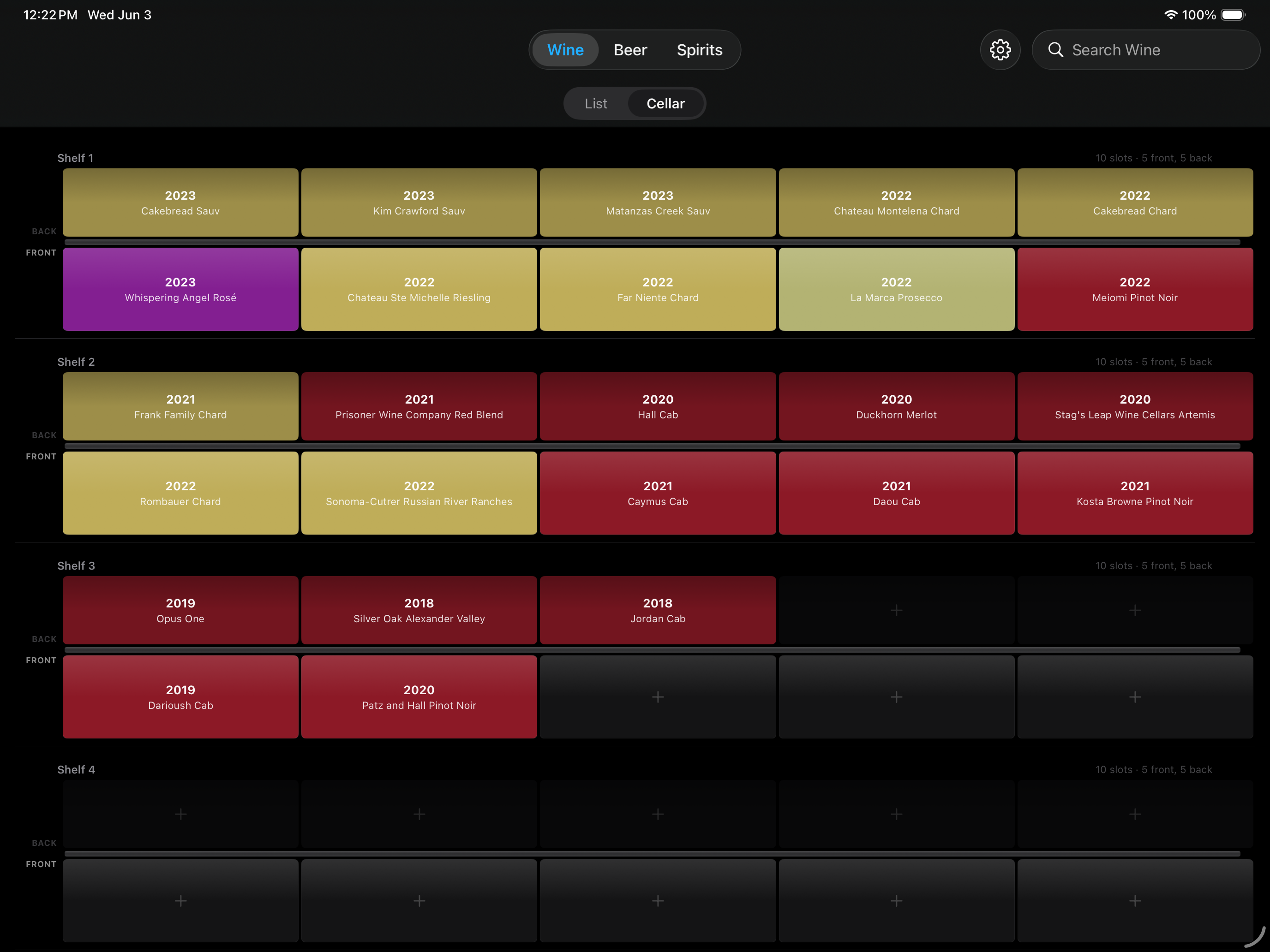
The cellar manager lets you define your actual physical cellars, customize shelves and slot counts, and visually place bottles exactly where they live. Overflowing into boxes, the guest room bathtub, or your office mini-fridge? That's fine — bottle placement is as flexible as your collection demands.
See It in Action
Cellar View — iPad
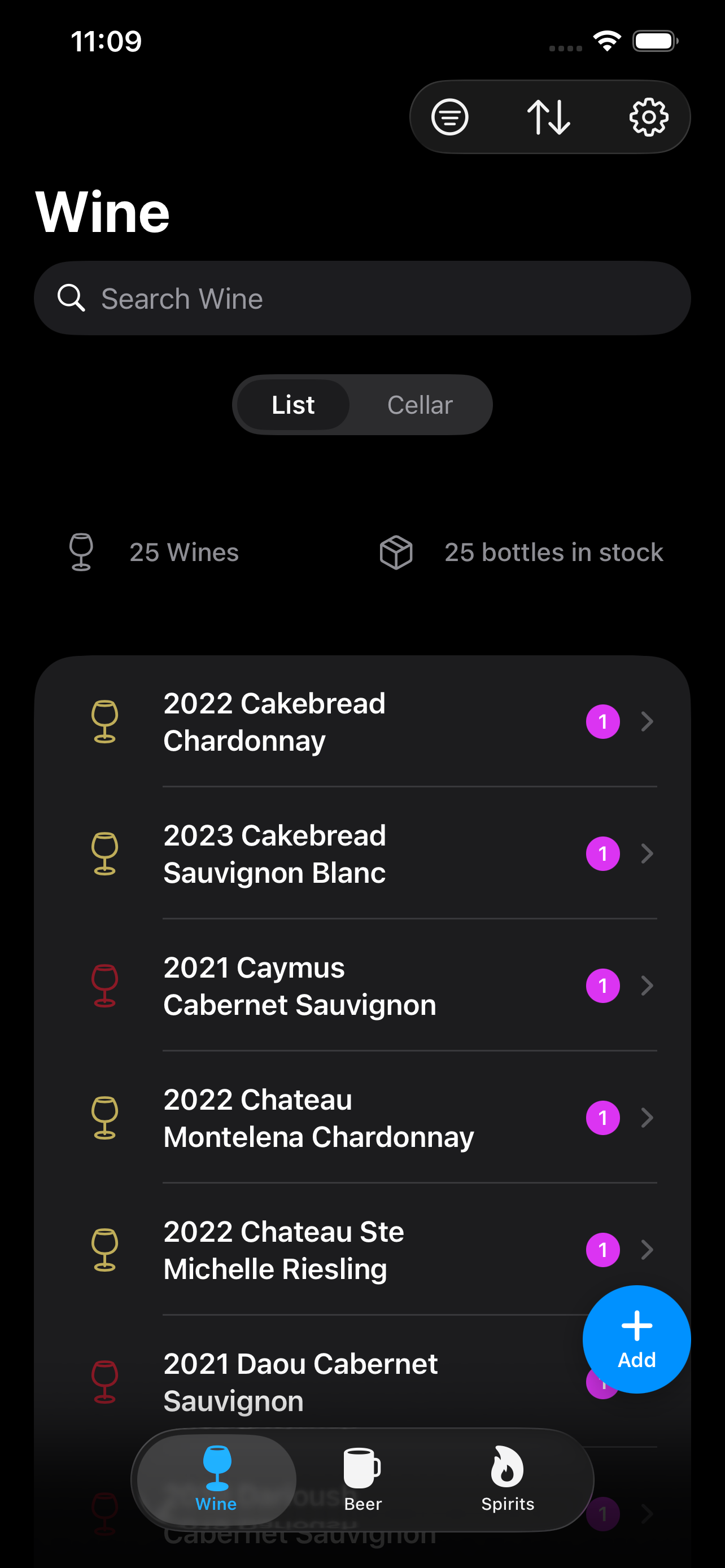
Inventory — iPhone
Specify the varietals, vintage, producer, color, and style. Sort, filter, search. Wines get a dedicated Wine Cellar view with shelf/slot tracking.
Brewery and style tracking for your craft collection, from IPAs to stouts.
Producer, distillery, and style tracking for every spirit from Absinthe to Zonin.
Everything You Need
From a quick swipe to mark a bottle consumed to simple bottle logging, filter and sort options, every feature is built for how you actually enjoy your collection.
One entry for "2007 Talisman Red Dog Pinot Noir" can represent six (or more!) bottles — each with its own location, price, acquisition date, and consumed status.
Use free-text location names with autocomplete, or assign bottles to exact cellar slots. Always know where every bottle lives.
Search across any field, for any bottle type. Apply filters to narrow your browsing experience, or apply a sort to find the oldest first, etc.
Swipe left on any row to mark a bottle consumed in one gesture. Undo anytime.
Photograph labels at the moment of purchase or selection. Photos are saved to a dedicated "Wine Labels" album in your iCloud Photo Library and shown as thumbnails throughout the app.
Bulk-load your existing inventory from a spreadsheet, or export everything as a CSV to share. The format is fully round-trippable (except for images). You control your data.
Visual Cellar Management
Switch to Cellar View for a color-coded visual grid of every slot. Red, white, rosé, orange, sparkling, dessert — each color has its own shade so you can spot exactly what you want at a glance.
Your Data, Your Business
We Have Wine at Home! has no accounts, no ads, no backend, no analytics, and no tracking. Your collection data stays entirely on your device and in your personal iCloud account.
Open the app and start adding bottles. No sign-up, no email, no password.
Data syncs automatically across your iPhone and iPad through your own iCloud account. We track and recieve nothing.
Zero tracking, zero telemetry. We never see what you drink, what you buy, or how you use the app.
Full functionality without an internet connection. Syncs when connectivity is restored.
Read our full Privacy Policy →
Platform
Built with SwiftUI and SwiftData for a fast, polished experience on every device. Dark mode by default.